BitcoinOX runs on iOS, Android and web. Cards have a server account with a password and 2FA, while the cold wallet has no account at all, only a recovery phrase. Since April 2026 I’ve been designing the product on my own, from structure and flows to copy and guidelines for developers.
All projects
FintechCryptoProduct designMobile + Web
BitcoinOX
An app that puts bank cards and a cold crypto wallet side by side. Two deep dives here: how access to money works and how I approached the crypto swap.
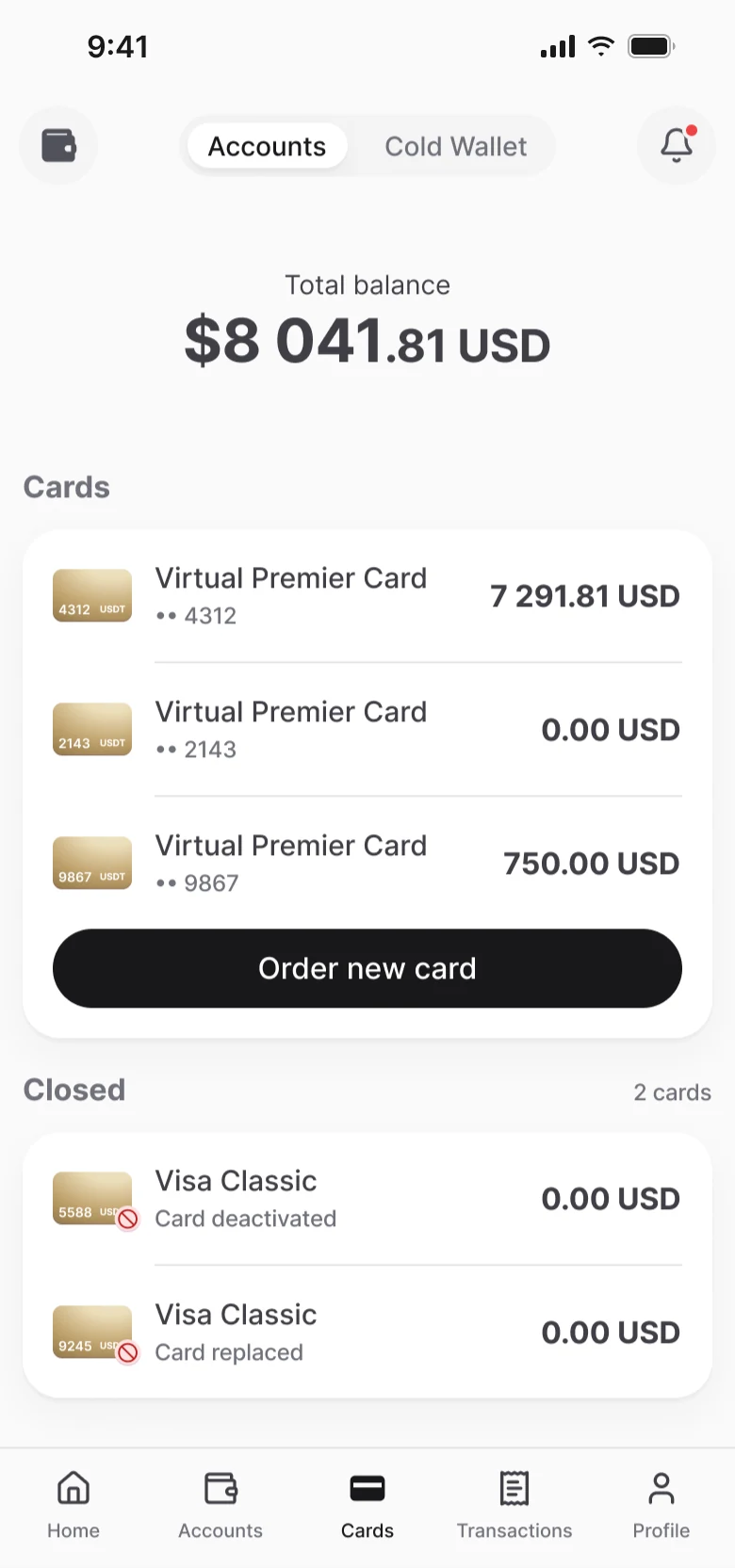
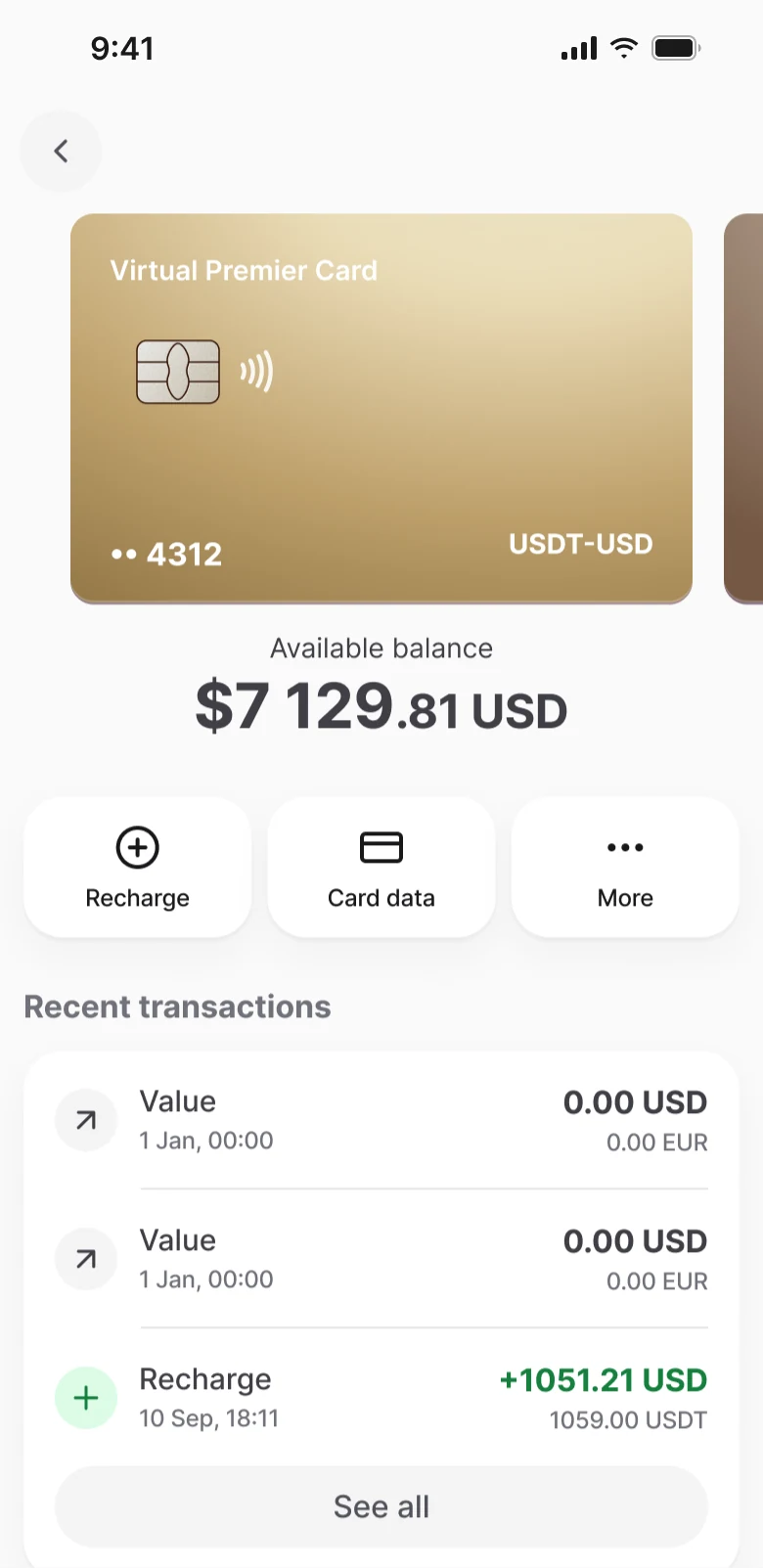
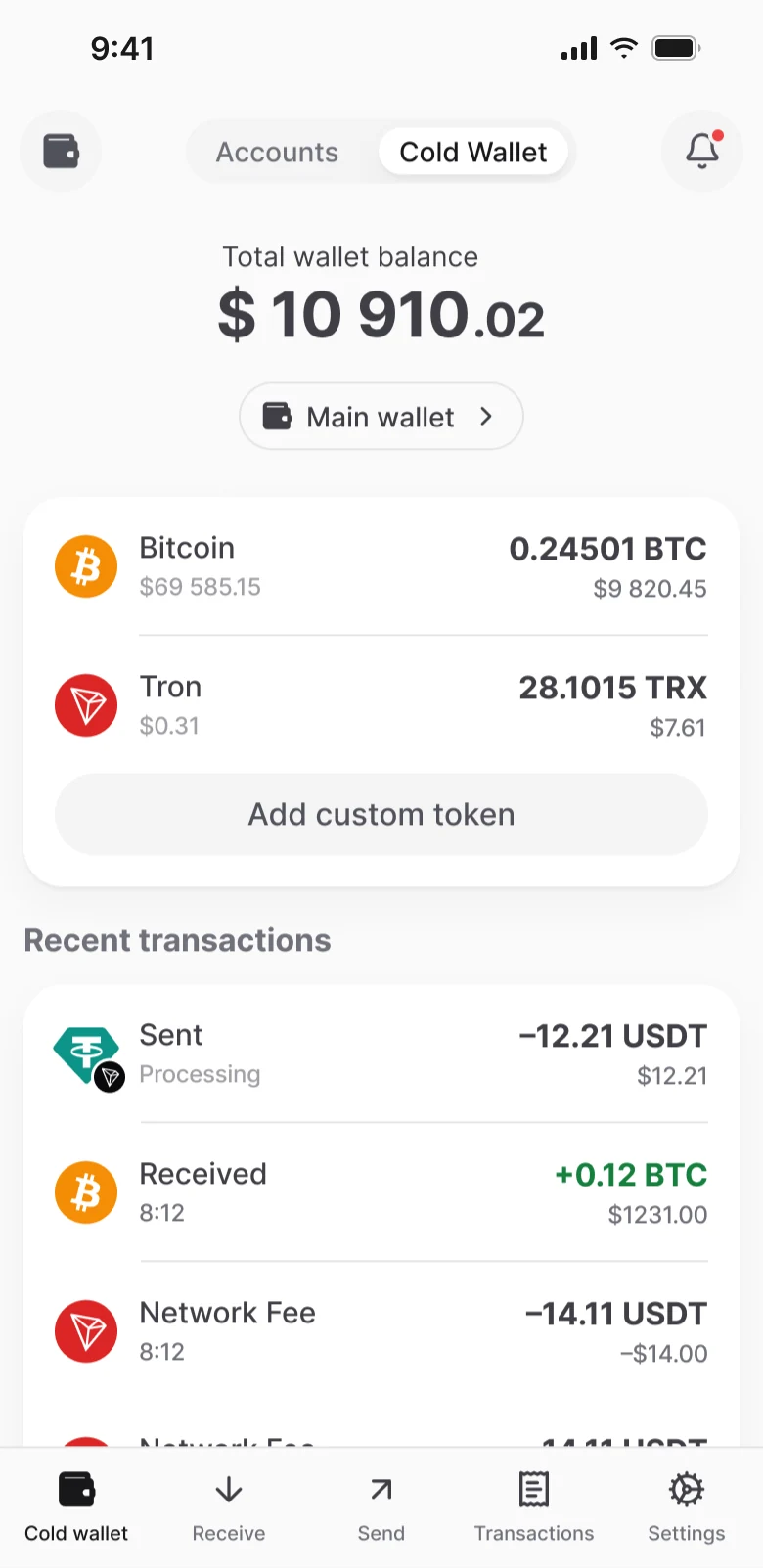
Context
Cards and a crypto wallet in one app
Mobile screens in the file230+
Flows with guidelines11
White-label versions6
PlatformsiOS, Android, Web
What’s inside
Two deep dives
Most of the time here goes into rules: what happens to the money if someone logs out, loses their phone or the price changes at the last second. Both deep dives are about that.
Deep dive 1
Access to money: passcode, 2FA and recovery
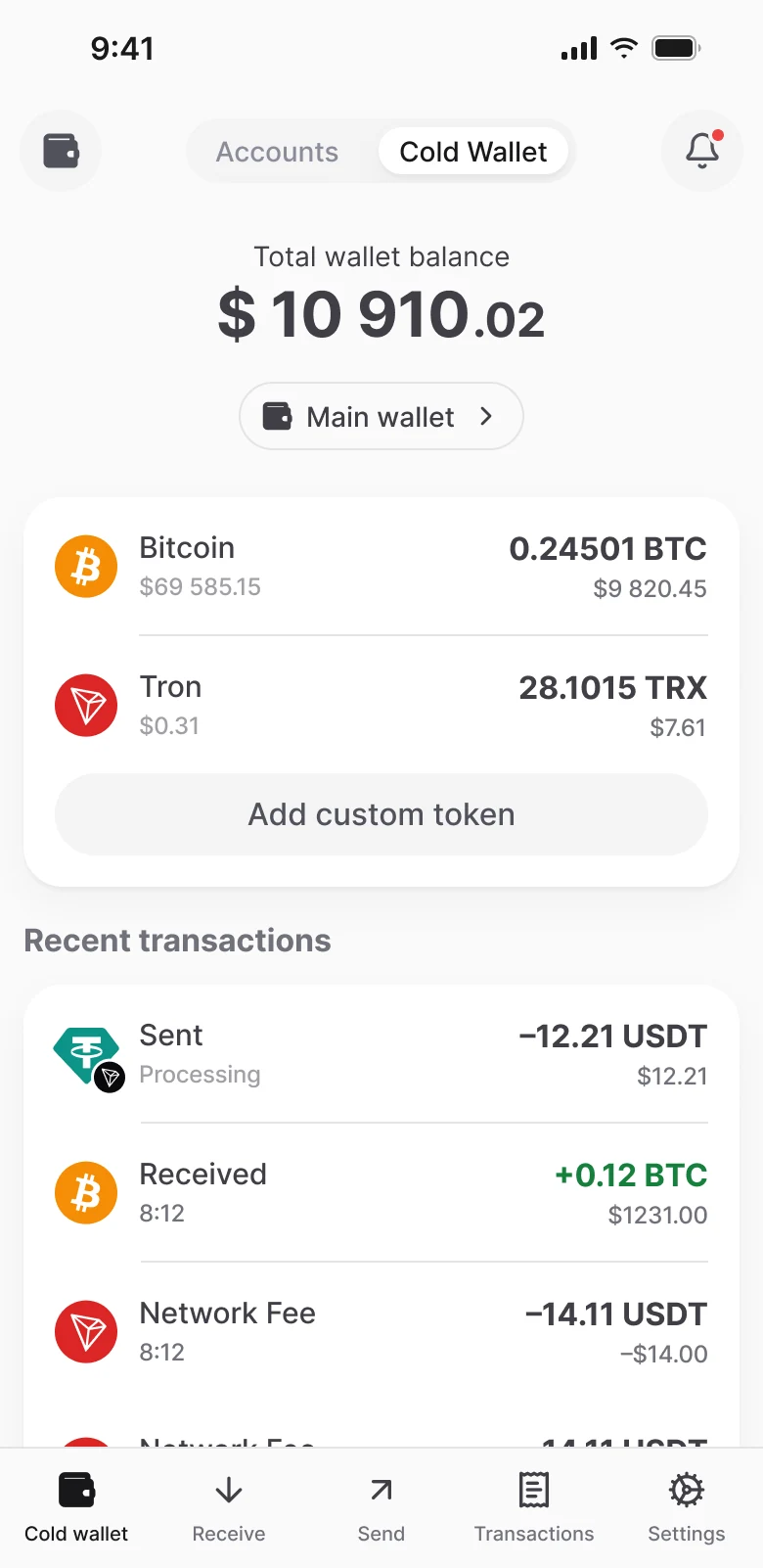
The business wanted a passcode or Face ID to be enough on every launch, without a full sign-in. Sounds simple, but cards have an account and the wallet doesn’t. One wrong rule and a person loses access to their own money. Passcode and 2FA are already live on iOS, Android and web; the wallet rules are in place in advance, the wallet itself is still in development.
What protects what
There’s one passcode for the whole app, but it protects different things. For cards, there’s an account with a password and 2FA behind it; for the wallet, a key encrypted with that very passcode. So access is restored differently too: cards through sign-in and 2FA, the wallet only through the recovery phrase.
Passcode and Face IDOpen the app. Set once and shared by both parts
Cards — server account
Password and 2FAGoogle Authenticator and recovery codes
Session on the serverA password change ends it on all devices
Way backSign-in and 2FA; without Authenticator, codes by email and SMS
Wallet — no account
Wallet keyEncrypted with the passcode and stored on the device
No serverLogging out of cards doesn’t erase the passcode
Way backRecovery phrase only
When to set the passcode
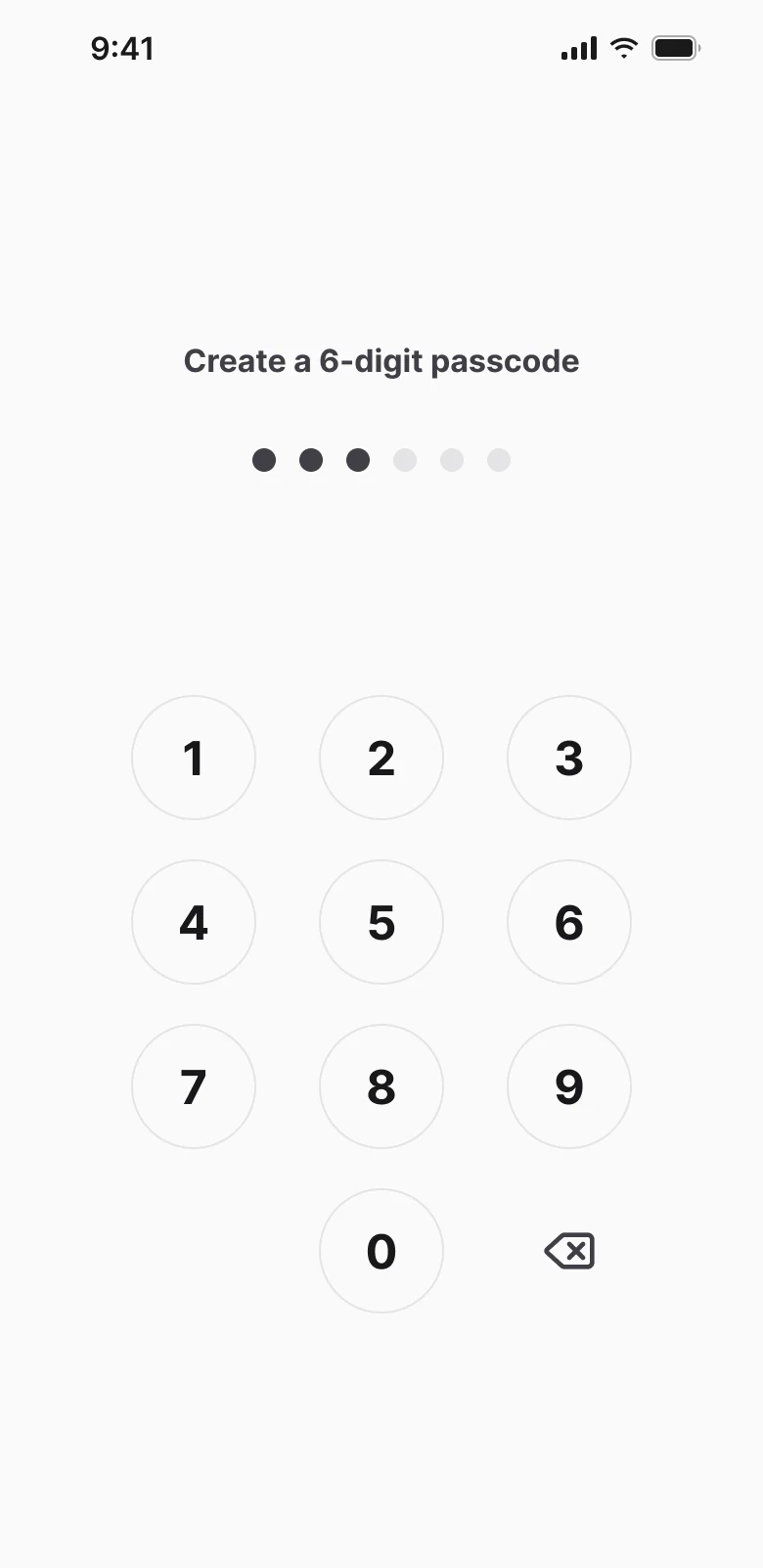
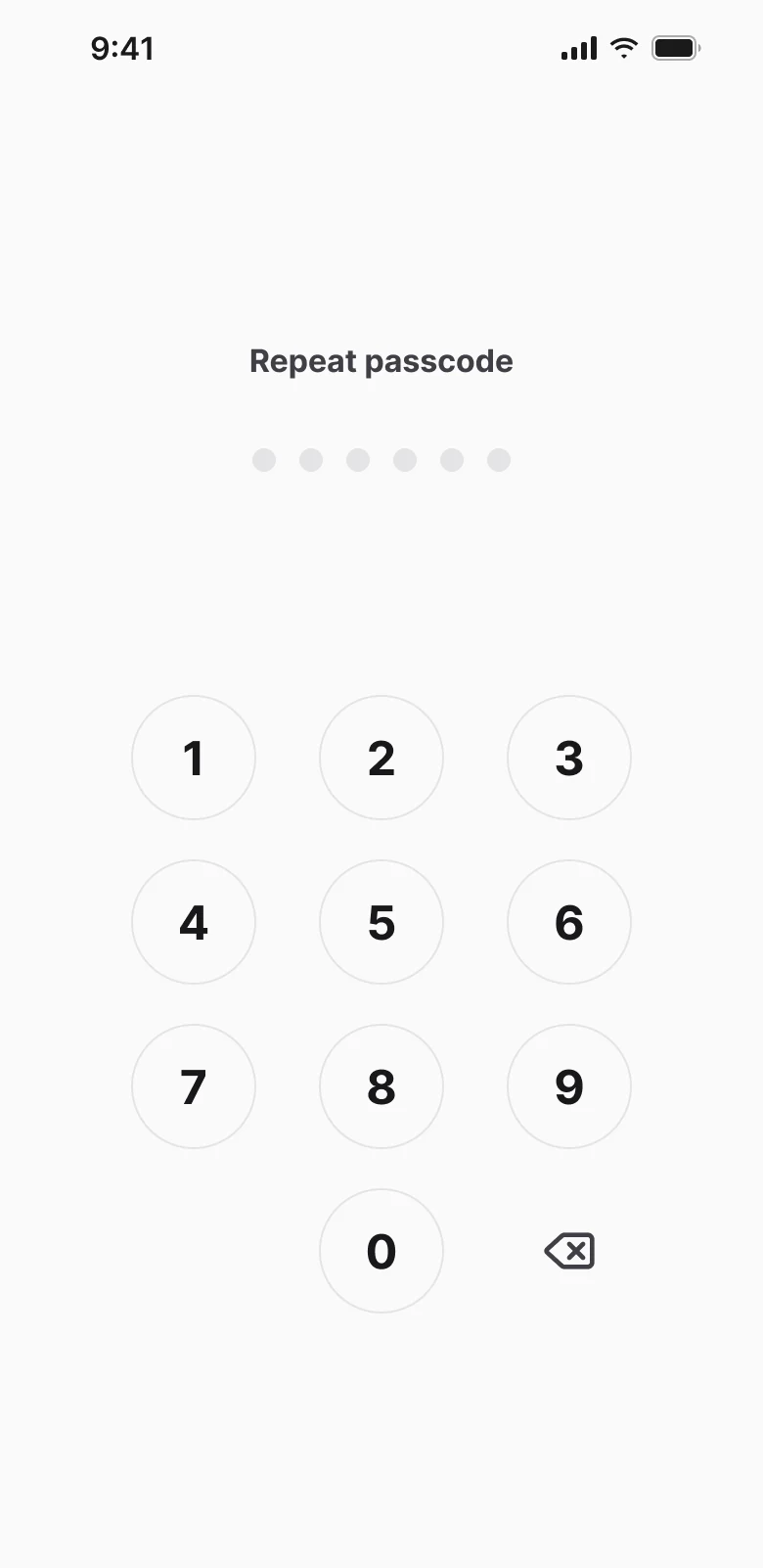
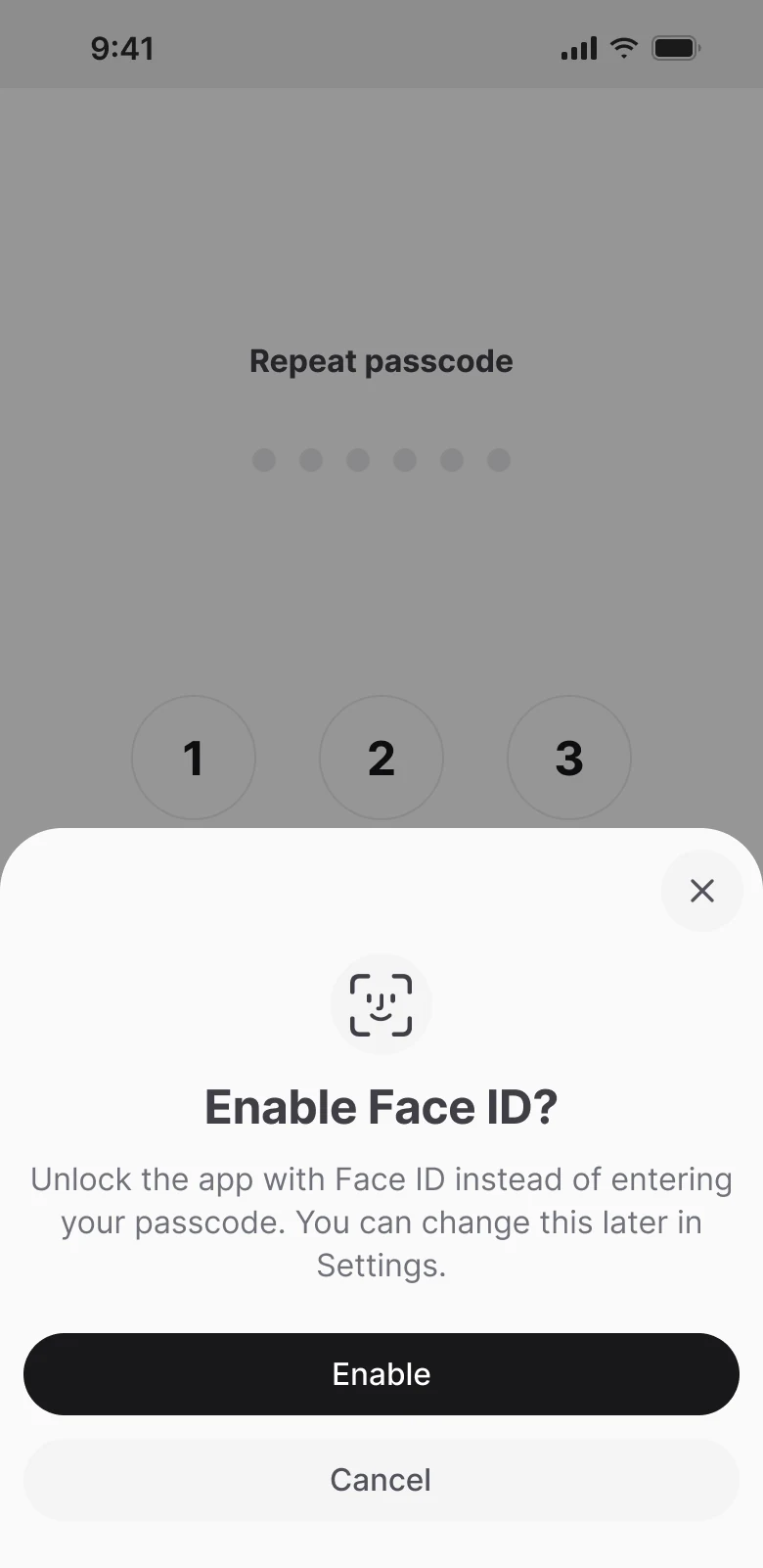
Setting it “after sign-in” doesn’t work: the wallet branch has no sign-in at all. So for cards it comes right after the password, when creating a wallet before the recovery phrase is shown, and when importing after the phrase is entered. There’s one code for the whole app, and if someone adds the second module later, they don’t have to come up with a new one.
Principle
One passcode per app. We set it once, at the moment there’s something to protect.
Logging out and the wallet
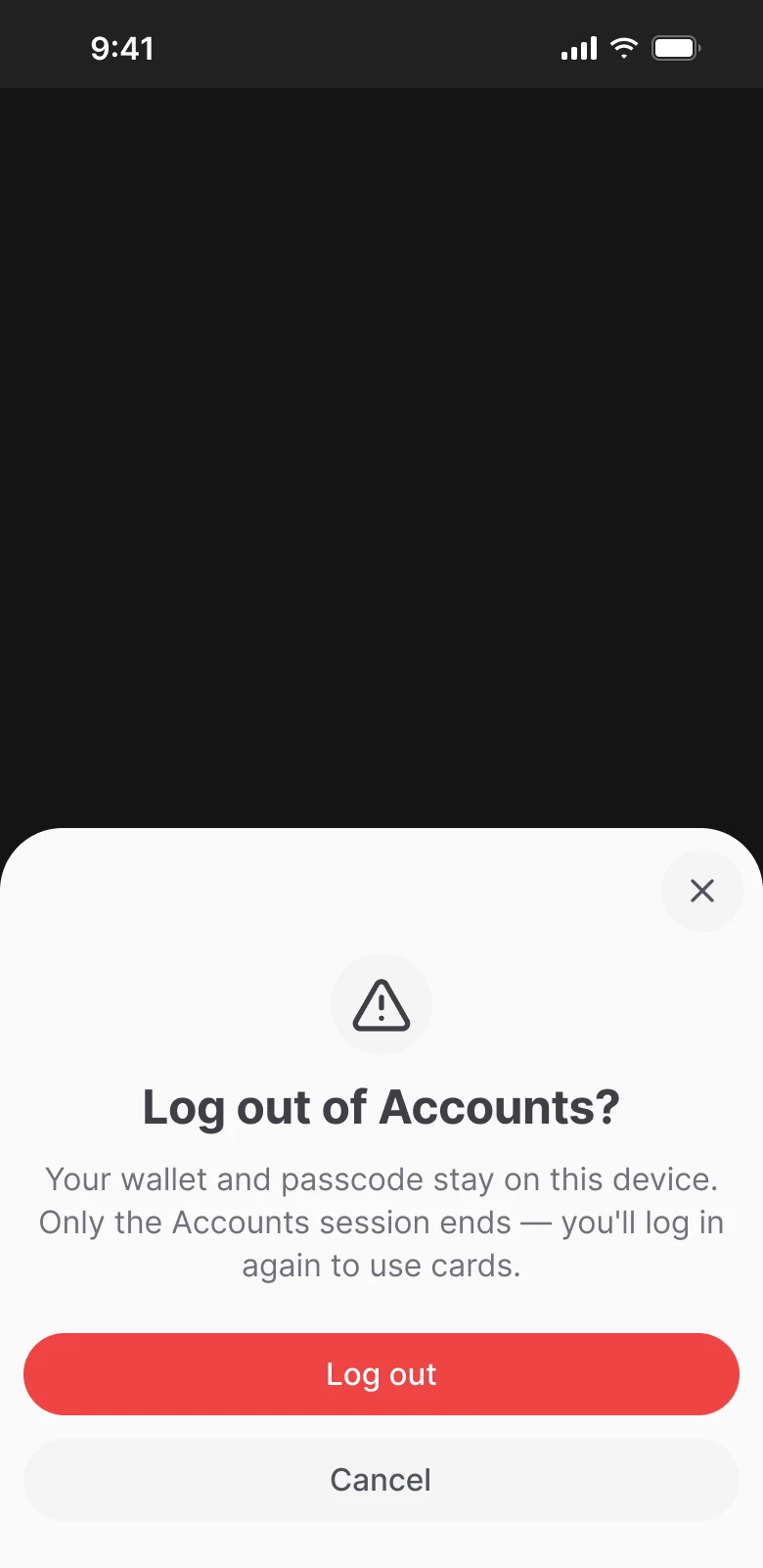
Usually logging out just erases the passcode. But if the app has a cold wallet, its key is encrypted with the passcode, and that kind of reset would cut the person off from their money. So we have two kinds of logout: without a wallet we erase everything, with a wallet we only end the cards session. In the guideline I wrote separately that this condition has to be in the code before the wallet is released.
A lockout you can’t get around
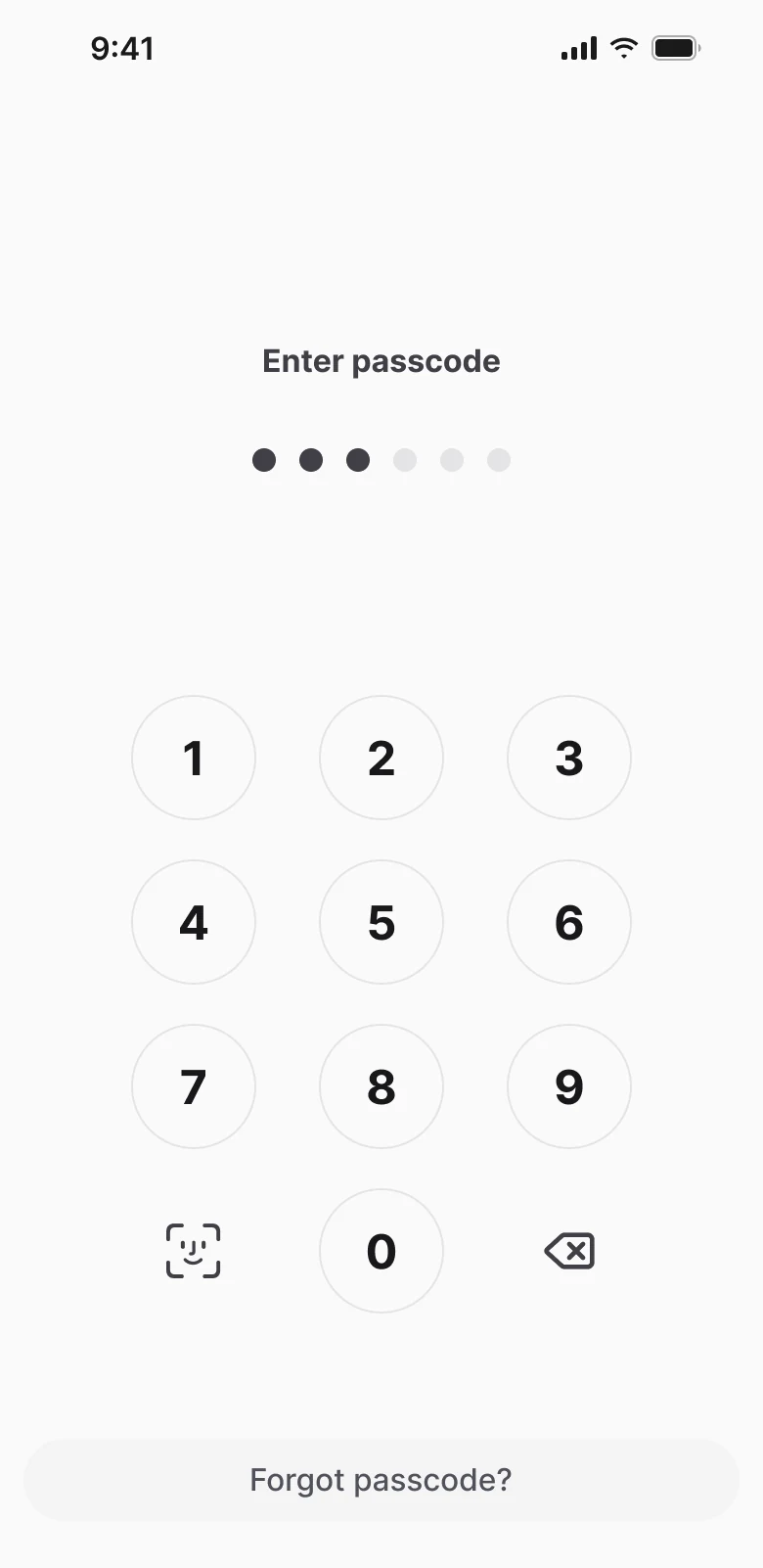
After several wrong attempts a pause kicks in, and its end is based on the clock. Close the app, open it again, and the timer is still the same. I hid weak biometrics on Android altogether, since they can’t decrypt the key anyway. On web the backend checks the code, and the lock screen covers the whole app so no balances show underneath.
Enter passcode
6 attempts
1 minute pause
3 more attempts
5 minute pause
3 more attempts
Restore access
forgot passcode or ran out of attempts ↓
Has a Cards account?
yes
Login, password and 2FA
no
Reinstall and import with phrase
New passcode
New passcode
App unlocked
Rules
The timer counts real time, not app lifetime. Close and reopen, the countdown stays the same.
Forgot passcode erases nothing: the old code works until a new one is set.
On web, attempts and time come from the server and are shared across all tabs.
2FA recovery
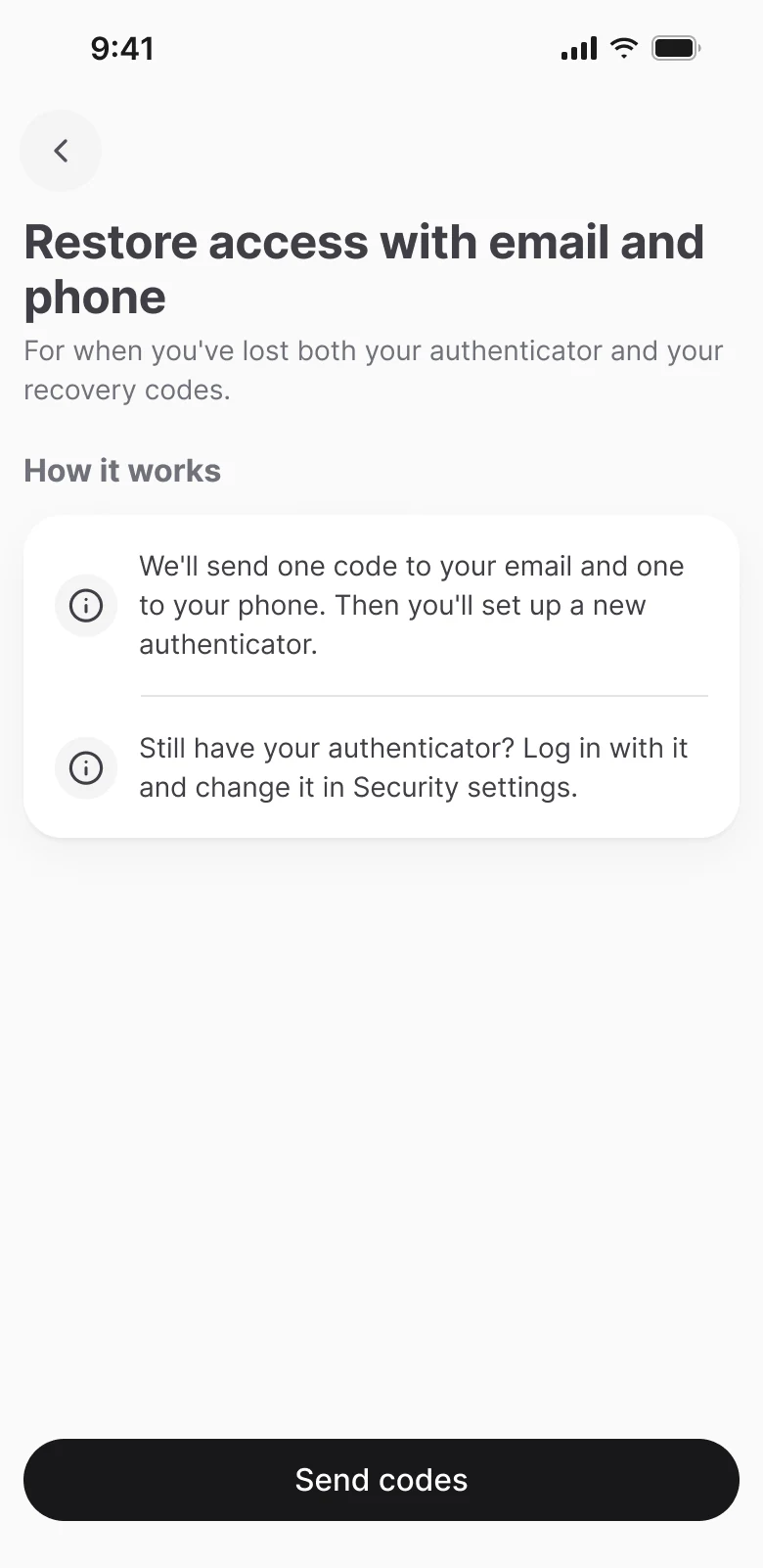
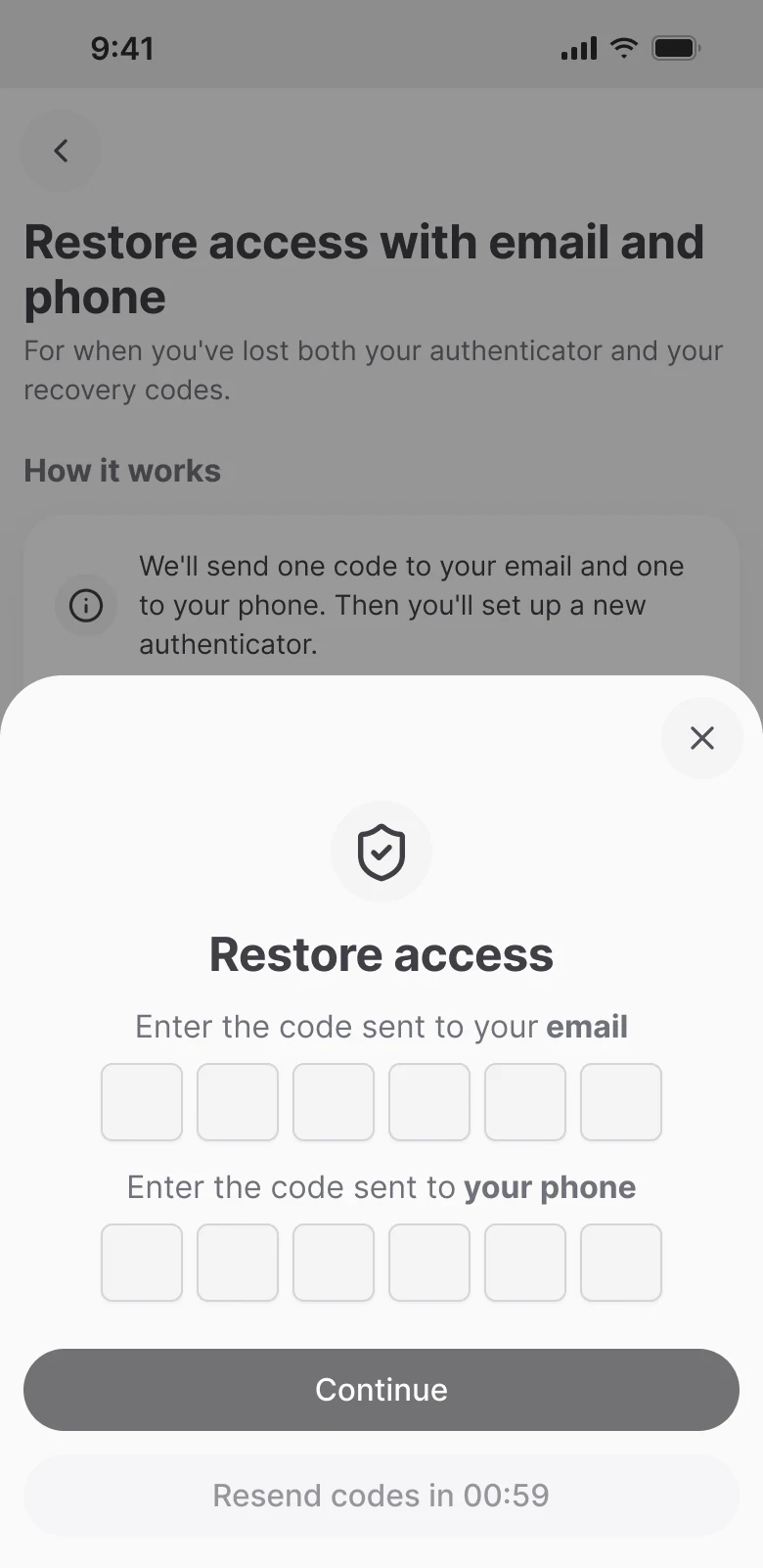
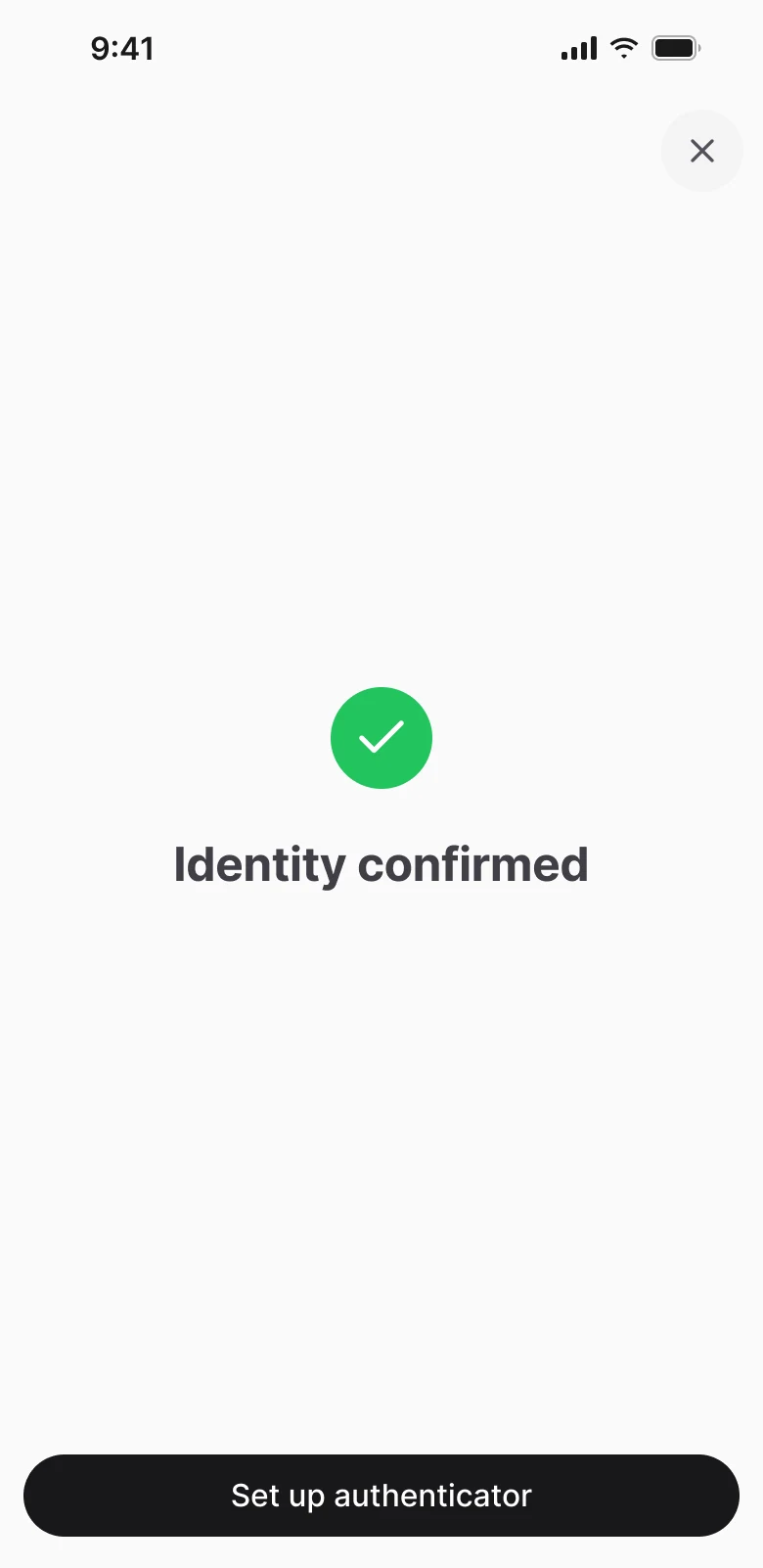
Before drawing the flow, I went through the scenarios in Swagger and found a dead end. Password reset asks for an Authenticator code, and errors hide behind a “success” response. So someone without a password and without Authenticator would see “email sent” and get nothing. That’s why I split changing 2FA from recovering it. Recovery starts from an unfinished sign-in, with codes by email and SMS, and if the person also forgot the password, we send them straight to support.
Deep dive 2
Crypto swap
Swapping USDT to TRX and back inside the cold wallet. Money goes through the blockchain and an external service: while the person is thinking, the price can move, and the network charges a fee for every transaction. The swap is in development now, together with the wallet.
What had to be done
A stakeholder gave the task to the product manager. Swap already exists in other products, and the app should do everything needed on its own, like a Swiss army knife. Phase one: only the TRON network and only the USDT and TRX pair. The swap itself is done by an external provider; the app shows the quote and sends the transactions. Swap took the Receive spot in the nav bar, receiving stayed on the asset screen. I was expected to deliver the whole scenario: the swap screen, confirmation, all errors and what happens if something breaks mid-swap.
First I went through the swap in four wallets
I went through the swap in Exodus, OKX Wallet, Tangem and Trust Wallet and compared them on 13 parameters, from where the swap lives to how the minimum error is shown. I took three things: the loss in dollars from the OKX warning, a minimum error with an action like in Exodus, and a disclaimer about the third-party service. I moved Tangem’s simple and detailed modes to the second iteration. It also showed where we’re stronger: we have no fee of our own, and quote details are visible right away, without “More”.
Parameter
Exodus
OKX Wallet
Tangem
Trust Wallet
BitcoinOX
Price impact
Not shown
Block with percentage and loss in dollars
Not shown
Not shown
Percentage, from 5% a warning with the amount in dollars
Minimum error
Banner and a “Buy TRX” button
Not in screenshots
Red block with the exact amount
Not in screenshots
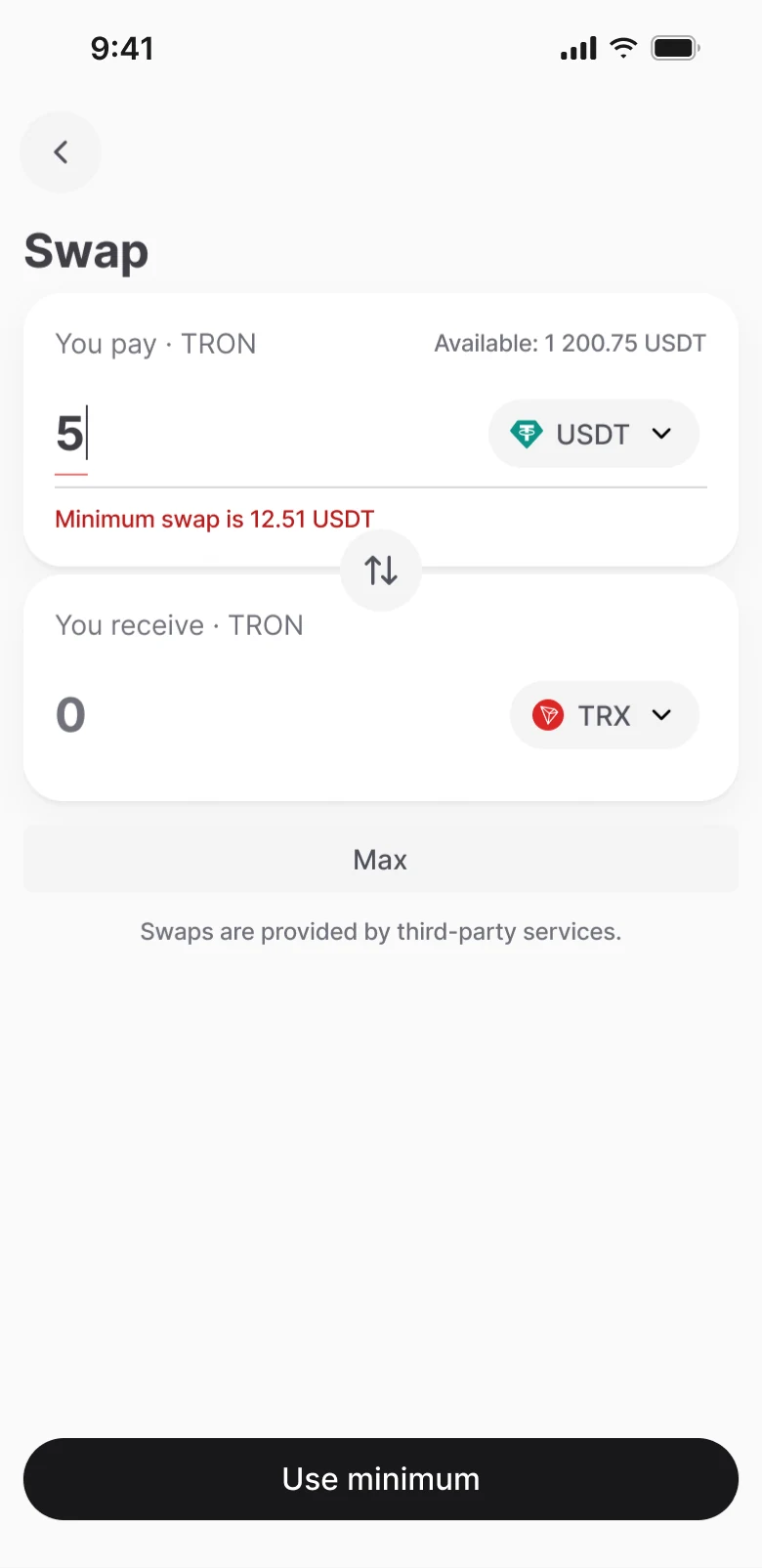
Text under the field and a “Use minimum” button
Service fee
From 0.5%
0.1% as a separate line
Inside the provider rate
Zero on some stablecoins
None of our own
Quote details
No
Rate, the rest under “More”
Simple and detailed modes
Rate as a line under the fields
Four lines and the rate, right away
Provider
General disclaimer
In the expanded details block
Line with logo and limit
Picker screen with 7 options
Route line, no choice
Min and max
Next to the cards
No
No
No
Next to the cards, like Exodus
Warnings in steps
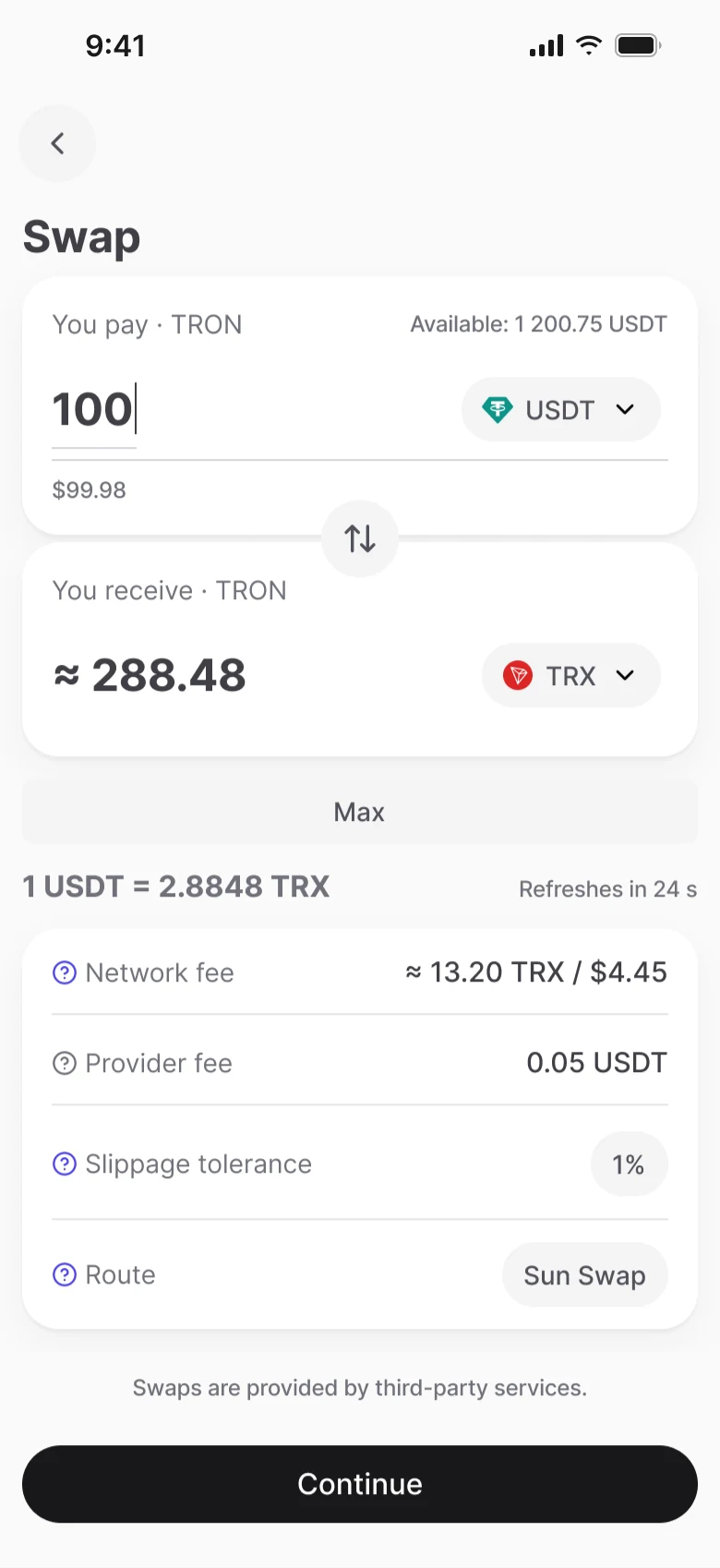
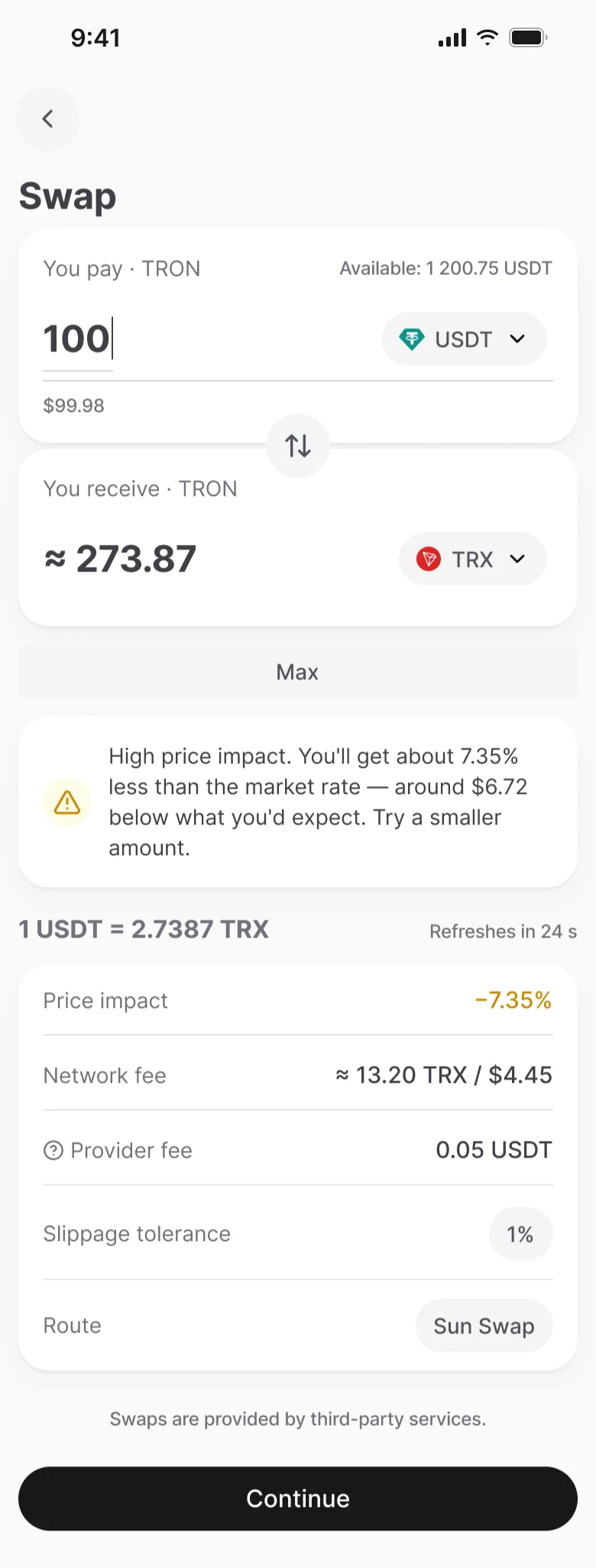
I didn’t block unfavorable swaps. Up to 1%, price impact is shown just as a number; from 1 to 5% it turns orange; from 5% a warning with the loss in dollars appears, and the button stays active. Only the provider blocks the swap, when the impact is over 18%. I noticed OKX calls even 0.07% “high” when the amount is large, so their threshold seems to be based on the dollar loss. I wrote this down as a question for the team: maybe we should also warn by amount, not by percentage.
Principle
We warn, we don’t forbid. The person should see how much they lose before they tap the button.
Two transactions, one passcode
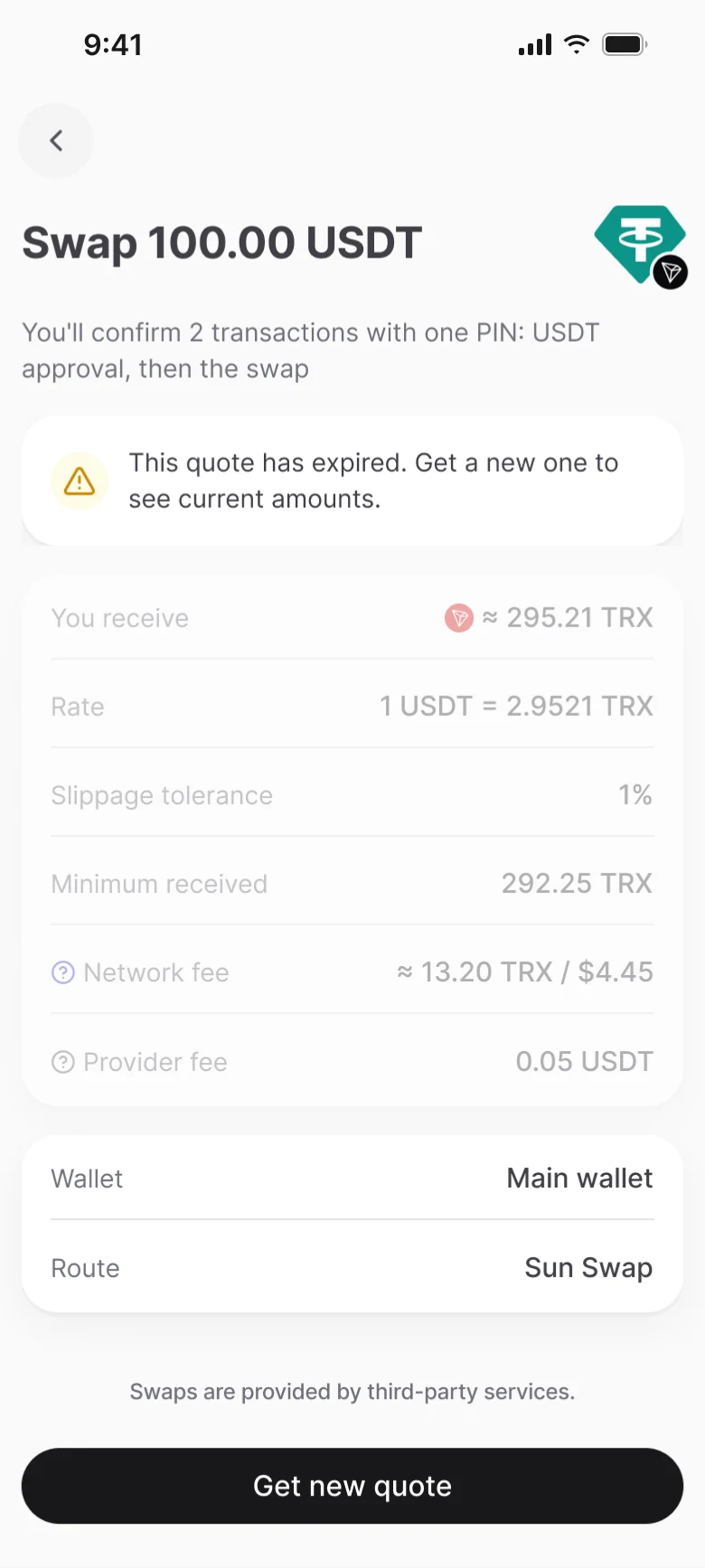
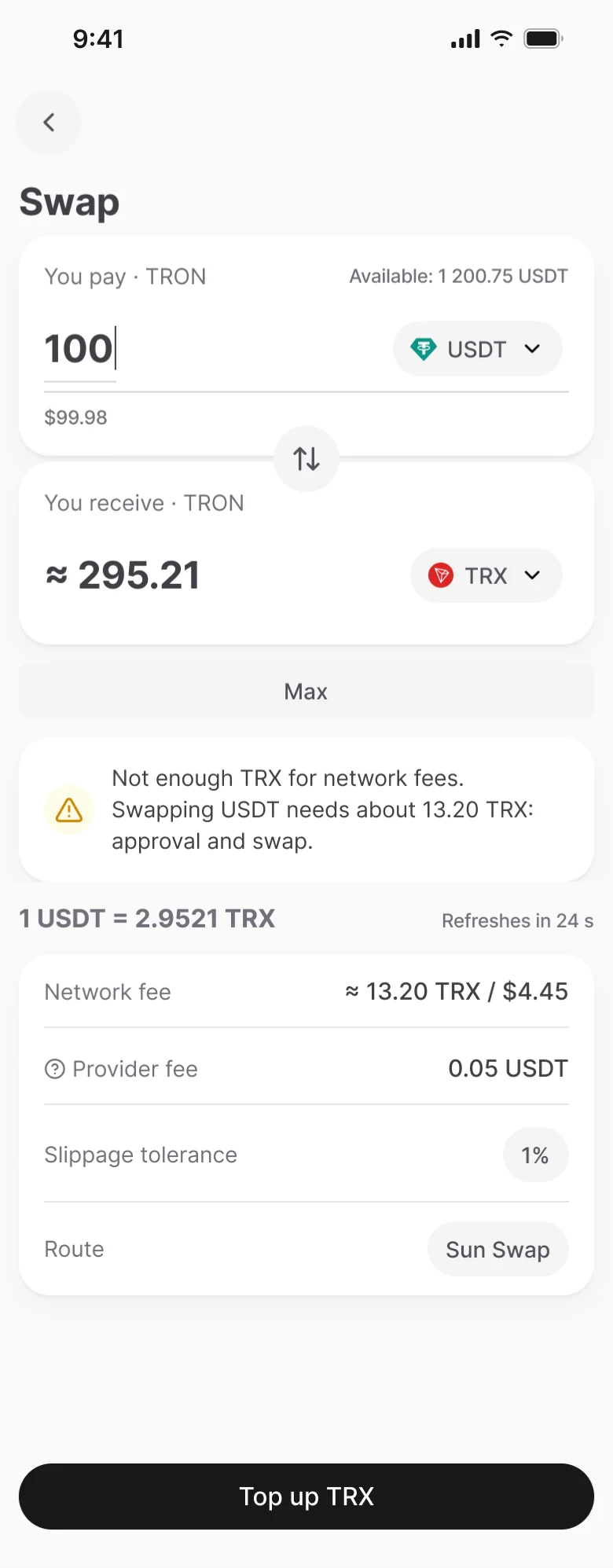
To spend USDT, the network requires a separate approval transaction, which costs about 10 TRX more in fees. There are two transactions, but the person confirms them once, and the confirmation screen says so directly. A quote lives for 30 seconds and refreshes on its own, with the countdown on the button. If time runs out, we show a screen with a new quote. If the price moves more than 1% after approval, the swap stops and the person sees the new terms.
Swap screenQuote lives 30 s, countdown on the button
Confirmation“2 transactions, one passcode”
Time’s up: screen with a new quote
PasscodeOnce for both transactions
USDT approvalSeparate transaction, about 10 TRX
Price moved more than 1%: we show new terms
SwapWaiting for the network
ResultSuccess or a clear error
What gets charged if something breaks
For every failure I wrote down what the person loses and what stays with them. This went into both the error copy and the spec for developers. If you close the app mid-swap, it continues from the same step.
| Where it broke | What gets charged | What stays |
|---|---|---|
| Pre-signing check failed | Nothing | Everything |
| Swap service unavailable | Nothing, no transactions sent | Everything |
| USDT approval failed | Approval fee | USDT and remaining TRX |
| Network rejected the swap or not enough TRX | Network fee | USDT stays in place |
Pre-signing check failedChargedNothingStaysEverything
Swap service unavailableChargedNothing, no transactions sentStaysEverything
USDT approval failedChargedApproval feeStaysUSDT and remaining TRX
Network rejected the swap or not enough TRXChargedNetwork feeStaysUSDT stays in place
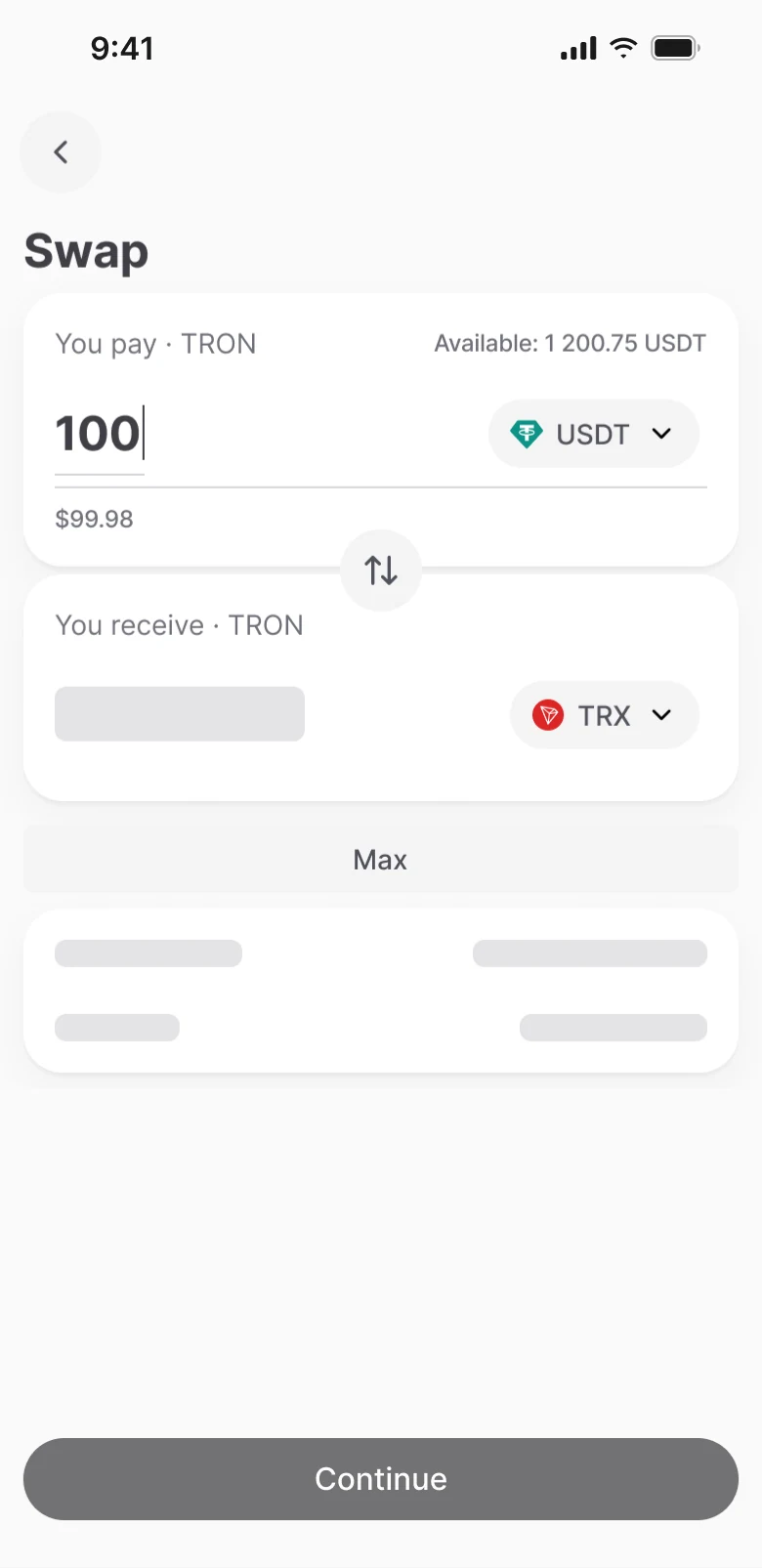
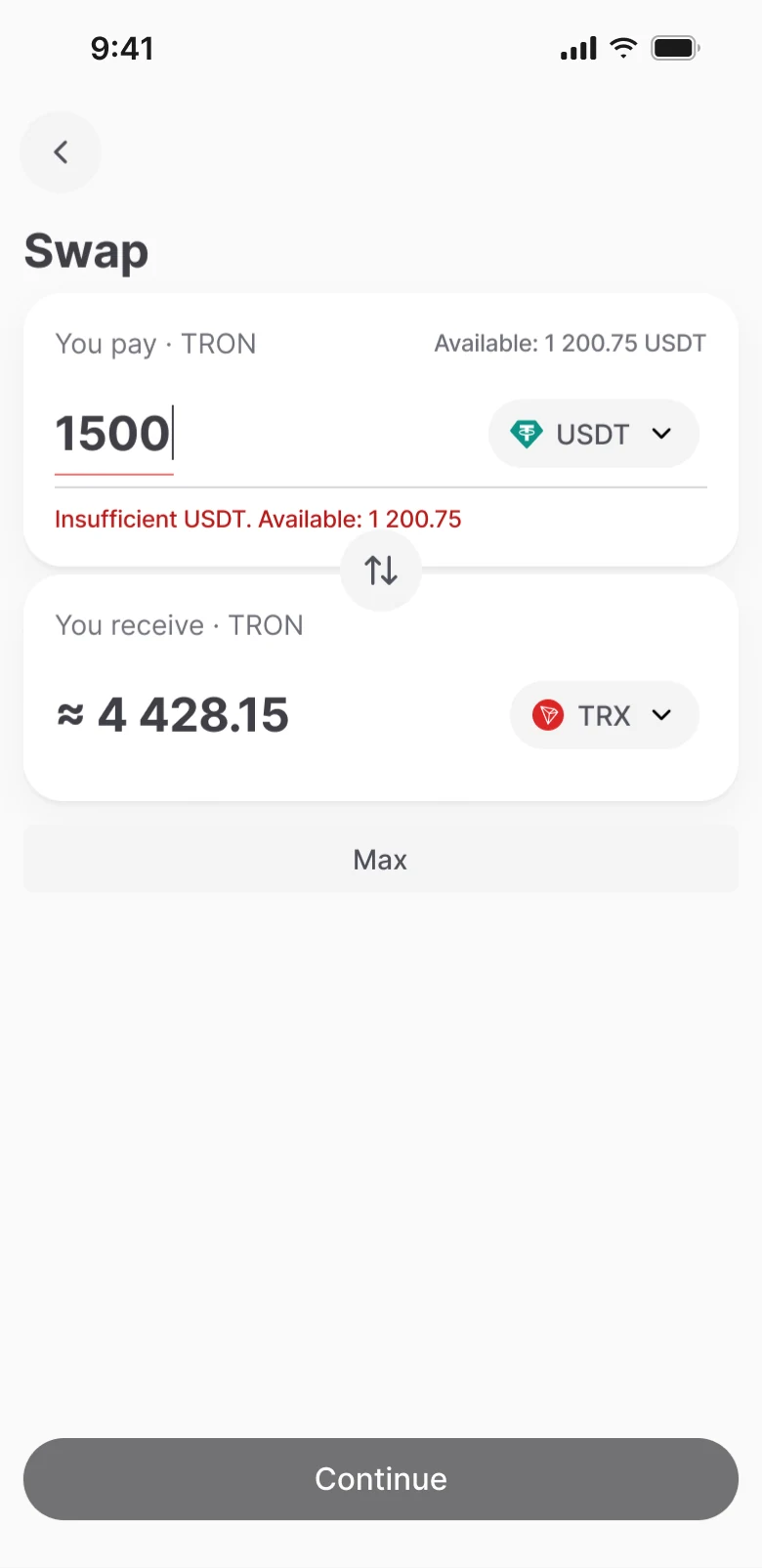
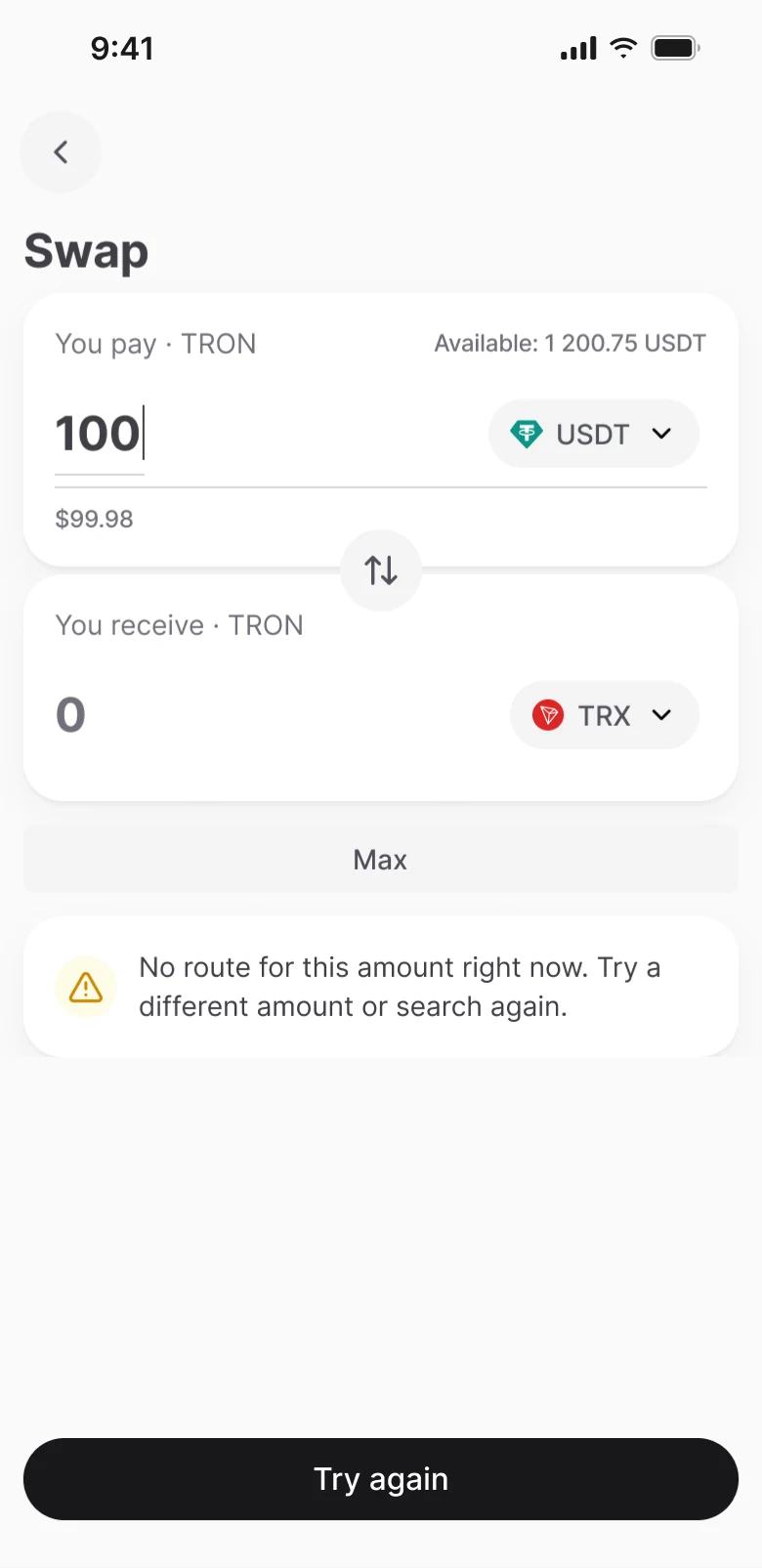
Six states of one screen
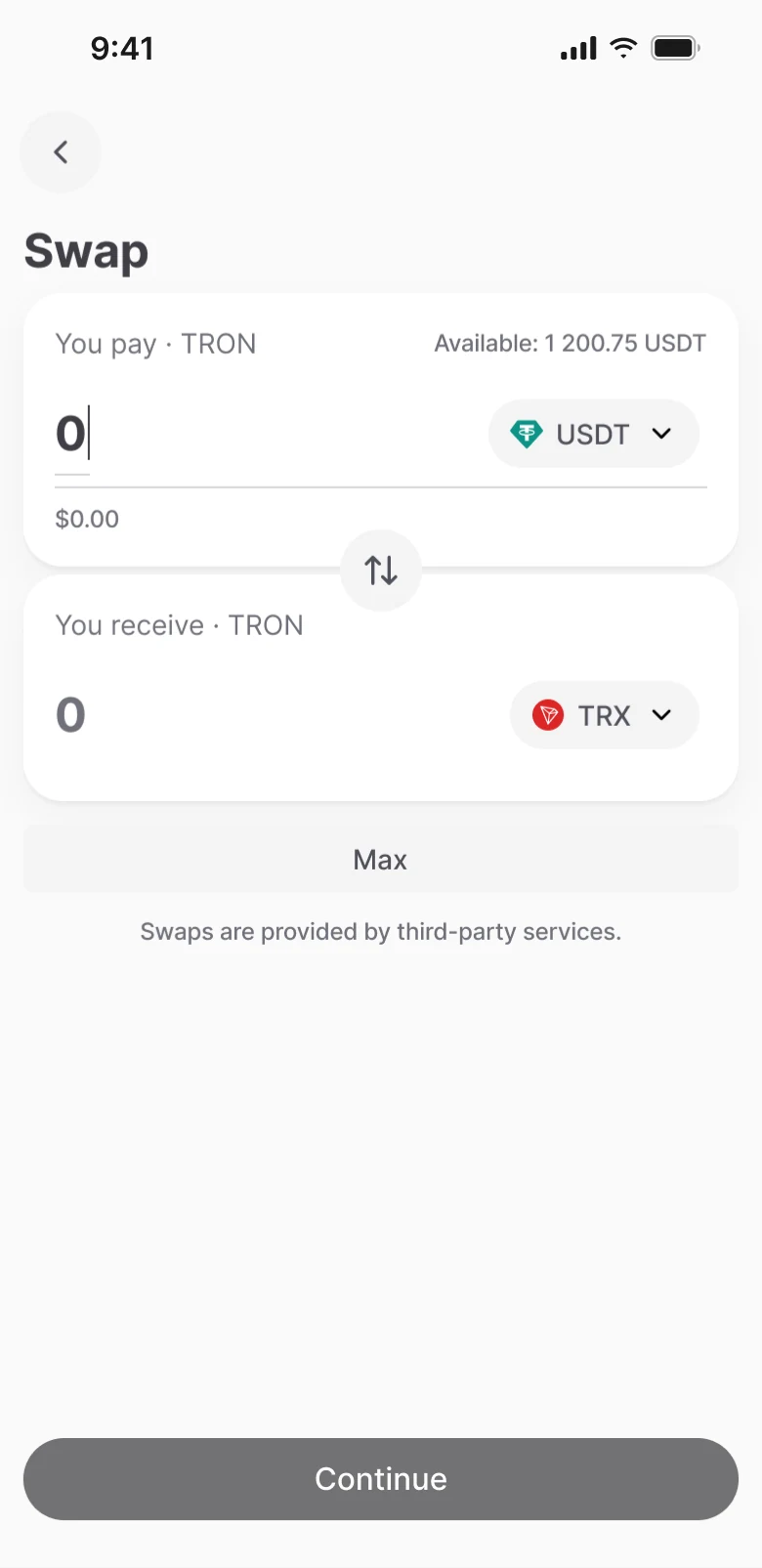
Empty screen, finding a route, not enough USDT, amount below minimum, not enough TRX for the fee, and no route. We show the minimum only when the service returns an error, instead of keeping it as a separate line. Max for USDT takes the whole balance, for TRX it leaves a reserve for the fee.
Outcome
An access model and guidelines for the team
The team now has an access model and guidelines: what gets erased and what stays in every situation, how the lockout works, where each recovery point leads. Disputed cases are now settled by the guideline, without another round of discussion.
For the swap, developers got the whole scenario: six screen states, quote rules and a failure table. How it works with real people will become clear after release.
What I’d do differently
I’d start with the diagram of what protects what, not with the passcode entry screen. And I’d move the rules into the design system and tokens earlier, so patterns didn’t have to be rebuilt on every screen.